
 Raid
Raid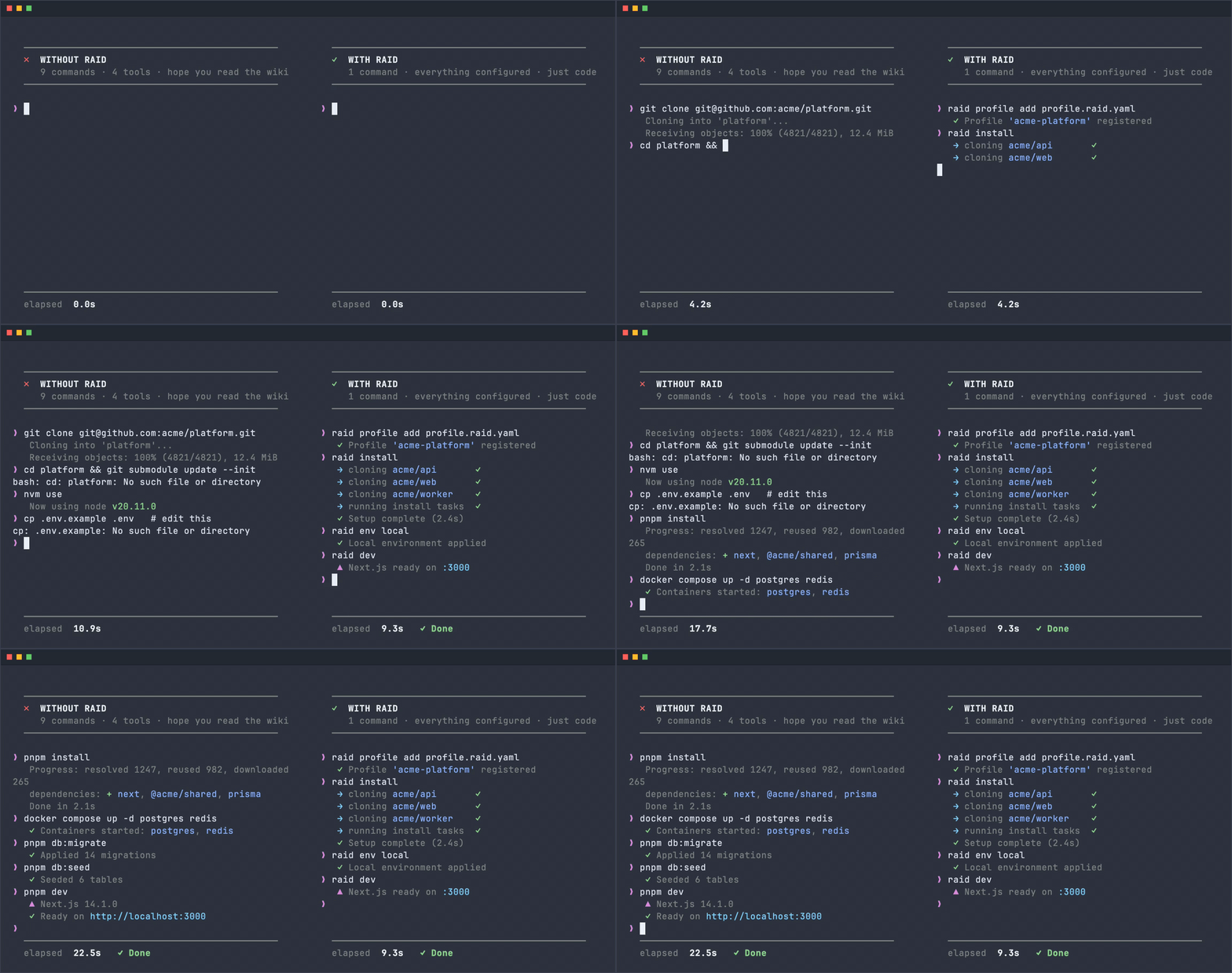
Easy Install
brew install 8bitalex/tap/raidcurl -fsSL https://raidcli.dev/install.sh | bashYour whole stack, one YAML profile
A profile is a version-controlled YAML file that describes your entire development environment: the repositories to clone, how to set them up, the environments to switch between, and the commands your team runs. Check it in once — every teammate and every machine gets the same setup.
name: platformrepositories:- name: apipath: ~/dev/api- name: frontendpath: ~/dev/frontend- name: workerpath: ~/dev/worker
One-command onboarding
raid install clones every repo in your profile and runs their install tasks concurrently. A new teammate is fully set up before they finish their coffee.
$ raid install→ Cloning 3 repositories✓ api ~/dev/my-project/api✓ frontend ~/dev/my-project/frontend✓ worker ~/dev/my-project/worker→ Running install tasks (3 workers)✓ api npm install✓ frontend npm install✓ worker go mod downloadDone in 1m 18s
Tribal knowledge, codified
Every setup step, script, and gotcha lives in raid.yaml alongside the code. No wiki to update, no Slack thread to dig through — the repo is the runbook.
install:tasks:- type: Shellcmd: brew bundlecondition:platform: darwin- type: Shellcmd: npm install- type: Shellcmd: cp .env.example .envcondition:exists: .env.example
Shared team commands
Define custom commands once in your profile — raid deploy, raid reset-db, whatever your team needs. Everyone gets the same commands without any extra setup.
commands:- name: deployusage: Deploy to productiontasks:- type: Confirmmessage: "Deploy to production?"- type: Shellcmd: ./scripts/deploy.sh- name: reset-dbusage: Reset local databasetasks:- type: Shellcmd: docker compose down -v db- type: Groupref: db-migrate
Environment switching
raid env staging writes the right .env files into every repo and runs environment tasks across all of them at once — profile-level tasks and each repo's own. Switch contexts in seconds, not minutes.
environments:- name: devvariables:- name: NODE_ENVvalue: development- name: DATABASE_URLvalue: postgresql://localhost/devtasks:- type: Shellcmd: docker compose up -d- type: Waiturl: localhost:5432timeout: 30s
Built for AI agents
Raid is a first-class MCP server: raid context serve gives Claude, Cursor, or any MCP client live workspace context and tools to run your team's commands — with per-command agent safety metadata controlling what runs unattended. Headless mode (--yes) and --json output make every command scriptable.
{"mcpServers": {"raid": {"command": "raid","args": ["context", "serve"]}}}
How does Raid stack up?
See how Raid compares to other popular task runners and dev tools.
| Raid | make | just | mise | turbo | |
|---|---|---|---|---|---|
| Multi-repo orchestration | |||||
| Team profile sharing | |||||
| One-command onboarding | |||||
| Environment switching | |||||
| Custom task runner | |||||
| YAML config | |||||
| No DSL to learn | |||||
| Concurrent task execution | |||||
| Language-agnostic |